Step 01 - Introduction to LangChain4j and LangChain4j CDI
To get started, make sure you use the step-01 directory.
This step is the starting point for the workshop. It’s a simple application that uses LangChain4j and LangChain4j CDI to interact with OpenAI’s gpt-4o model. It’s a simple chatbot that we will extend in the subsequent steps.
Running the application
Run the application with the following command:
mvnw permission issue
If you run into an error about the mvnw maven wrapper, you can give execution permission for the file by
navigating to the project folder and executing chmod +x mvnw.
Could not expand value OPENAI_API_KEY
If you run into an error similar to one shown below, make sure you have set the environment variable
OPENAI_API_KEY with your OpenAI API key.
When you see the following, your application is runniing and ready to serve requests:
[INFO] ************************************************************************
[INFO] *    Liberty is running in dev mode.
[INFO] *        Automatic generation of features: [ Off ]
[INFO] *        h - see the help menu for available actions, type 'h' and press Enter.
[INFO] *        q - stop the server and quit dev mode, press Ctrl-C or type 'q' and press Enter.
[INFO] *    Liberty server port information:
[INFO] *        Liberty server HTTP port: [ 9080 ]
[INFO] *        Liberty debug port: [ 7777 ]
[INFO] ************************************************************************
Bring up the page for application at http://localhost:9080 and click the red robot icon in the bottom right corner to start chatting with the chatbot.
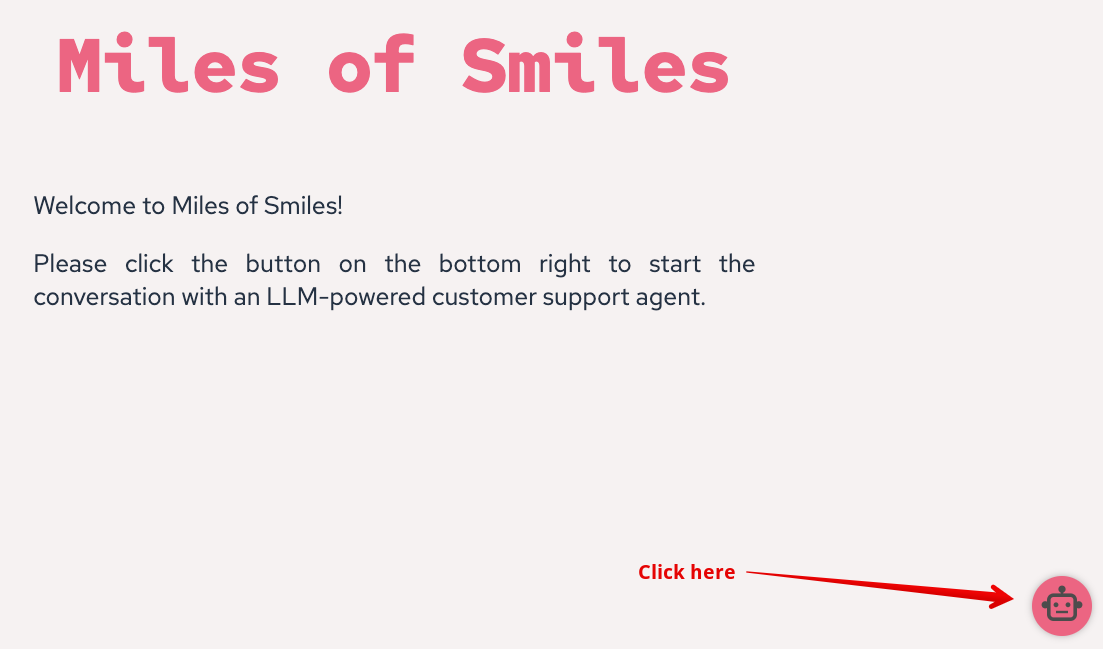
Chatting with the chatbot
The chatbot is calling gpt-4o (from OpenAI) via the backend. You can test it out and observe that it has memory. Example:
User: My name is Clement.
AI: Hi Clement, nice to meet you.
User: What is my name?
AI: Your name is Clement.
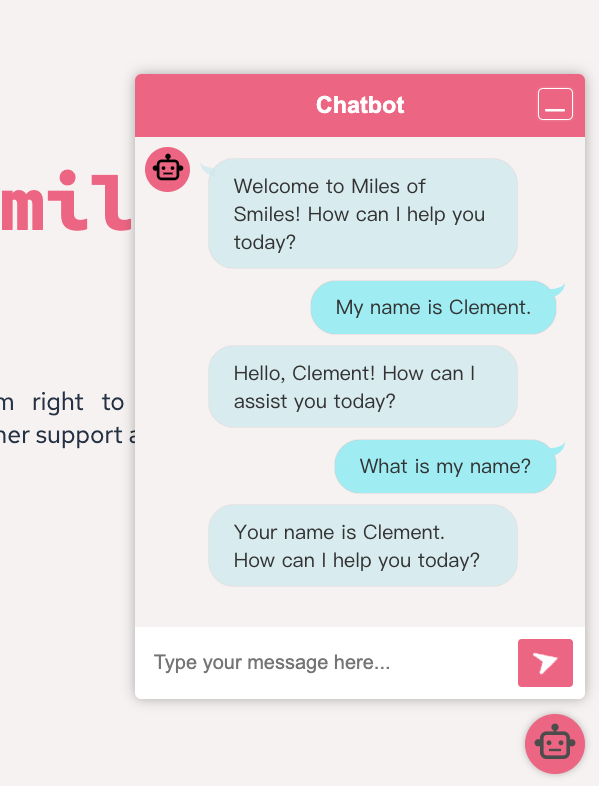
This is how memory is built up for LLMs.
In the terminal, you can observe the calls that are made to OpenAI behind the scenes. Notice the roles ‘user’
(UserMessage) and ‘assistant’ (AiMessage).
# The request -> Sending a message to the LLM
[INFO] 10:12:55.238 [Default Executor-thread-436] INFO dev.langchain4j.http.client.log.LoggingHttpClient -- HTTP request:
[INFO] - method: POST
[INFO] - url: http://watsonx-orders-gpu-node-17.dev.fyre.ibm.com:8000/v1/chat/completions
[INFO] - headers: [Authorization: Beare...Wg], [User-Agent: langchain4j-openai], [Content-Type: application/json]
[INFO] - body: {
[INFO]   "model" : "openai/gpt-oss-120b",
[INFO]   "messages" : [ {
[INFO]     "role" : "user",
[INFO]     "content" : "My name is Clement."
[INFO]   }, {
[INFO]     "role" : "assistant",
[INFO]     "content" : "Nice to meet you, Clement! How can I help you today?"
[INFO]   }, {
[INFO]     "role" : "user",
[INFO]     "content" : "What is my name?"
[INFO]   } ],
[INFO]   "stream" : false
[INFO] }

# The response from the LLM
[INFO] 10:12:55.949 [Default Executor-thread-436] INFO dev.langchain4j.http.client.log.LoggingHttpClient -- HTTP response:
[INFO] - status code: 200
[INFO] - headers: [content-length: 944], [content-type: application/json], [date: Thu, 11 Jun 2026 09:12:54 GMT], [server: uvicorn]
[INFO] - body: {
  "id": "chatcmpl-b94b45929e97f7c5",
  "object": "chat.completion",
  "created": 1781169175,
  "model": "openai/gpt-oss-120b",
  "choices": [
    {
      "index": 0,
      "message": {
        "role": "assistant",
        "content": "Your name is Clement. Is there anything else you’d like to talk about?",
        "refusal": null,
        "annotations": null,
        "audio": null,
        "function_call": null,
        "tool_calls": [],
        "reasoning": "The user asks: \"What is my name?\" We have context: they introduced themselves as Clement. So answer: Clement. Also maybe ask if correct.",
        "reasoning_content": "The user asks: \"What is my name?\" We have context: they introduced themselves as Clement. So answer: Clement. Also maybe ask if correct."
      },
      "logprobs": null,
      "finish_reason": "stop",
      "stop_reason": null,
      "token_ids": null
    }
  ],
  "service_tier": null,
  "system_fingerprint": null,
  "usage": {
    "prompt_tokens": 99,
    "total_tokens": 156,
    "completion_tokens": 57,
    "prompt_tokens_details": null
  },
  "prompt_logprobs": null,
  "prompt_token_ids": null,
  "kv_transfer_params": null
}
A very important aspect of the interaction with LLMs is their statelessness. To build a conversation, you need to resend the full list of messages exchanged so far. That list includes both the user and the assistant messages. This is how the memory is built up and how the LLM can provide contextually relevant responses. We will see how to manage this in the subsequent steps.
Anatomy of the application
Before going further, let’s take a look at the code.
If you open the pom.xml file, you will see that the project is a LangChain4j application. It defines a number of
dependencies on both LangChain4j and LangChain4j CDI libraries.
<!-- LangChain4J OpenAI -->
<dependency>
    <groupId>dev.langchain4j</groupId>
    <artifactId>langchain4j-open-ai</artifactId>
</dependency>

<!-- LangChain4J CDI -->
<dependency>
    <groupId>dev.langchain4j.cdi</groupId>
    <artifactId>langchain4j-cdi-core</artifactId>
</dependency>
<dependency>
    <groupId>dev.langchain4j.cdi</groupId>
    <artifactId>langchain4j-cdi-portable-ext</artifactId>
</dependency>
<dependency>
    <groupId>dev.langchain4j.cdi.mp</groupId>
    <artifactId>langchain4j-cdi-config</artifactId>
</dependency>

<!-- LangChain4j HTTP Client -->
<dependency>
    <groupId>dev.langchain4j</groupId>
    <artifactId>langchain4j-http-client-jdk</artifactId>
</dependency>
LangChain4j OpenAI is a LangChain4j that provides a simple way to interact with language models (LLMs), like gpt-4o from OpenAI. It can actually interact with any model serving the OpenAI API (like vLLM or Podman AI Lab). LangChain4j OpenAI library abstracts the complexity of calling the model and provides a simple API to interact with it.
In our case, the application is a simple chatbot. It uses a WebSocket, which is why you can also see the websocket
dependency in the list of features configured in the server.xml file:
<featureManager>
    <platform>jakartaee-10.0</platform>
    <platform>microprofile-7.1</platform>
    <feature>cdi</feature>
    <feature>websocket</feature>
    <feature>restfulWS</feature>
    <feature>mpConfig</feature>
</featureManager>
If you now open the src/main/java/dev/langchain4j/workshop/CustomerSupportAgentWebSocket.java file, you can see how the web socket is implemented:
package dev.langchain4j.workshop;

import java.io.IOException;
import java.util.Collections;
import java.util.HashSet;
import java.util.Set;

import jakarta.inject.Inject;
import jakarta.websocket.OnClose;
import jakarta.websocket.OnMessage;
import jakarta.websocket.OnOpen;
import jakarta.websocket.Session;
import jakarta.websocket.server.ServerEndpoint;

@ServerEndpoint("/customer-support-agent")
public class CustomerSupportAgentWebSocket {

    // Thread-safe set to store all active sessions
    private static final Set<Session> sessions = Collections.synchronizedSet(new HashSet<>());

    @Inject
    private CustomerSupportAgent customerSupportAgent;

    @OnOpen
    public void onOpen(Session session) throws IOException {
        sessions.add(session);
        session.getBasicRemote().sendText("Welcome to Miles of Smiles! How can I help you today?");
    }

    @OnMessage
    public void onMessage(String message, Session session) throws IOException {
        session.getBasicRemote().sendText(customerSupportAgent.chat(session.getId(), message));
    }

    @OnClose
    public void onClose(Session session) throws IOException {
        sessions.remove(session);
    }
}
Basically, it:
- Welcomes the user when the connection is opened
- Calls the
chatmethod of theCustomerSupportAgentclass when a message is received and sends the result back to the user (via the web socket).
Let’s now look at the cornerstone of the application, the CustomerSupportAgent interface.
package dev.langchain4j.workshop;

import dev.langchain4j.cdi.spi.RegisterAIService;
import dev.langchain4j.service.MemoryId;
import dev.langchain4j.service.UserMessage;

import jakarta.enterprise.context.ApplicationScoped;

@RegisterAIService(
    chatModelName = "customer-support-agent",
    chatMemoryProviderName = "customer-support-agent-memory",
    scope = ApplicationScoped.class
)
public interface CustomerSupportAgent {
    String chat(@MemoryId String sessionId, @UserMessage String userMessage);
}
This interface is annotated with the @RegisterAIService LangChain4j CDI annotation to indicate that it is an AI
service. An AI service is a concept introduced
by LangChain4j that hides the complexities of interacting with LLMs and other components behind a simple API. As you can
see it’s an interface, not a concrete class, so you don’t need to implement anything (thanks LangChain4j!).
LangChain4j CDI will provide an implementation for you at runtime. Thus, your application only interacts with the
methods defined in the interface.
There is a single method in this interface, chat, but you could name the method whatever you wanted. It takes two
parameters:
- A
sessionIdthat is used to retrieve the memory for the chatbot session. - A
userMessagethat is passed to the AI model.
The response from the AI model is used as the return value for the chat method. How this is done is abstracted away by
LangChain4j.
So far, so good! Let’s move on to the next step.